
In this quick guide, we'll show you how to easily unlock a used Hyundai/Kia NXP (NCF29Ax) smart key using EoneBoss HK001 key tool and its companion mobile app. For this example, we are unlocking a Hyundai 4A AES smart key.
Step-by-Step Guide to Unlocking Your Key
Before starting, download EoneBoss App on your smartphone and make sure your HK001 device is nearby.
Step 1: Pick Your Key Shell
Open the app and navigate to HK001-> Used Smart Key Unlock section.


Choose the key shell outline that matches your physical key.
Don't worry about the brand logo or button count right now—just match the shape.

Step 2: Choose the Board & Chip Type
Take the circuit board (PCB) out of the key shell.
Look at it closely and select the correct board type and chip model inside the app.

Step 3: Check the Wiring Diagram
The app will show you exactly how to hook up the key board.
Follow the on-screen diagram to connect the board pins to HK001 device.
(Note: Dedicated solderless adapters are coming soon, but for now, follow the wiring guide).

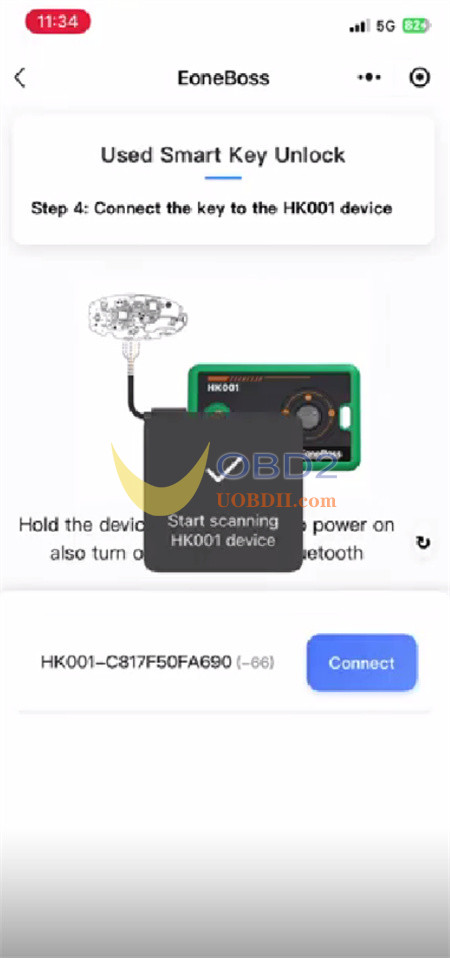
Step 4: Power Up and Connect
Hold down the power button on EoneBoss HK001 for 3 seconds to turn it on.
Make sure your phone's Bluetooth is enabled.
The app will scan for the tool. Tap Connect to link your phone to HK001 via Bluetooth.
Step 5: Detect and Unlock
HK001 Key Master will automatically scan the key board and read its chip type, Key ID, and factory part number. Once the info pops up, simply hit the Unlock button.
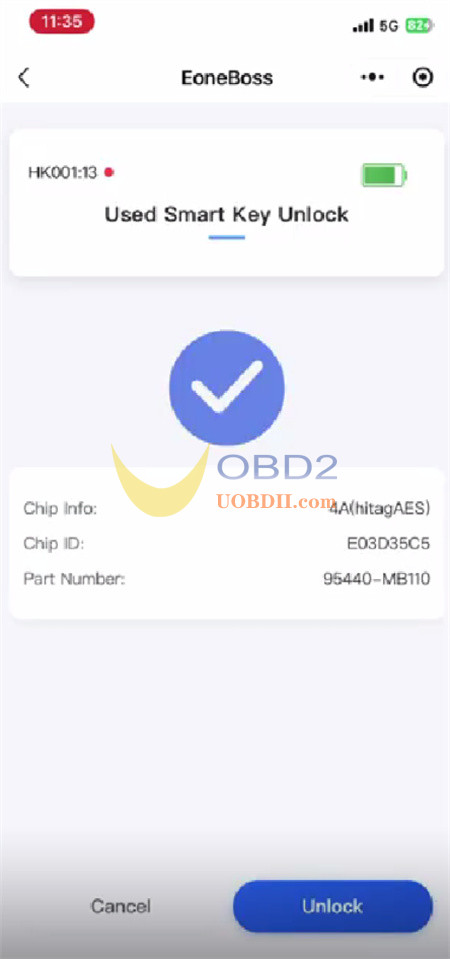
Important: Keep the key completely still and don't unplug anything while the progress bar is running.
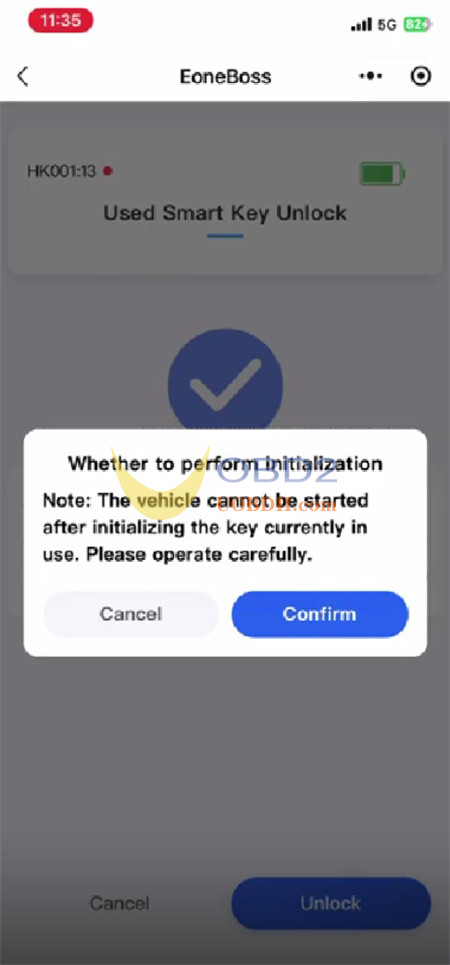
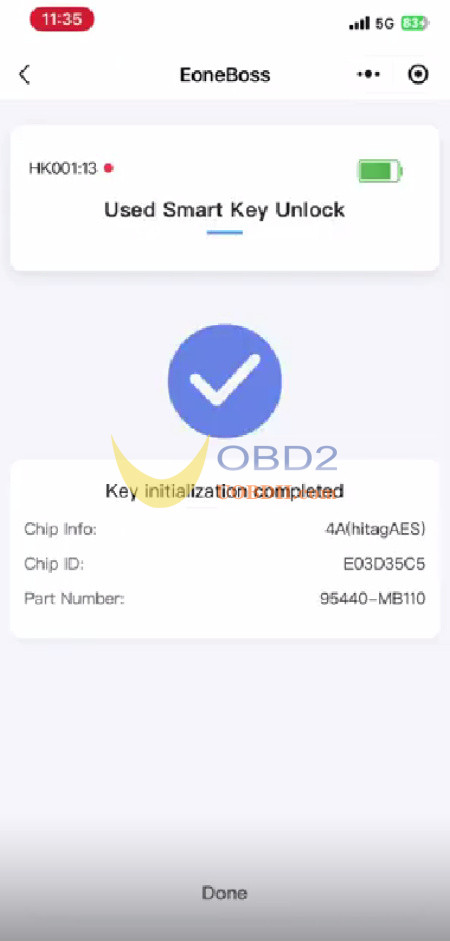
In just a few moments, the app will confirm the unlock is complete. Your used key is now factory-fresh and ready to be programmed to a new car!
Important Rules to Keep in Mind
To get the most out of your tool, keep these quick tips from EoneBoss in mind:
- No Limits on Unlocking:You can reset as many original Hyundai/Kia NXP smart keys as you want—there is no daily cap!
- Cloning Restrictions:If you are copying data onto third-party (non-EoneBoss) NXP NCF29Ax keys, you are limited to 5 keys per day. If you use official EoneBoss keys, cloning is completely unlimited.
- Unsupported Chips:The newer NCF29AG chip type is not supported yet.
Need to do an 8A Key?
EoneBoss HK001 is exclusively built for NXP chip types. If you need to unlock a Hyundai/Kia 8A smart key (Texas Instruments/TI chip), you will need to use EoneBoss KH002 tool instead.
Source: https://www.uobdii.com/service/eoneboss-hk001-used-smart-key-unlock-guide.html
Post a Comment