
Today we demonstrate how to read data and add a smart key to a BMW X5 using KEYDIY KD-X6 Programmer and BDC02/03 Welding-free Adapter (1#). KEYDIY Clamp Adapter Type Kit includes 11 different solder-free adapters that read chip data directly without soldering, including options for Audi and BMW models.
Step 1: Set Up the Adapter
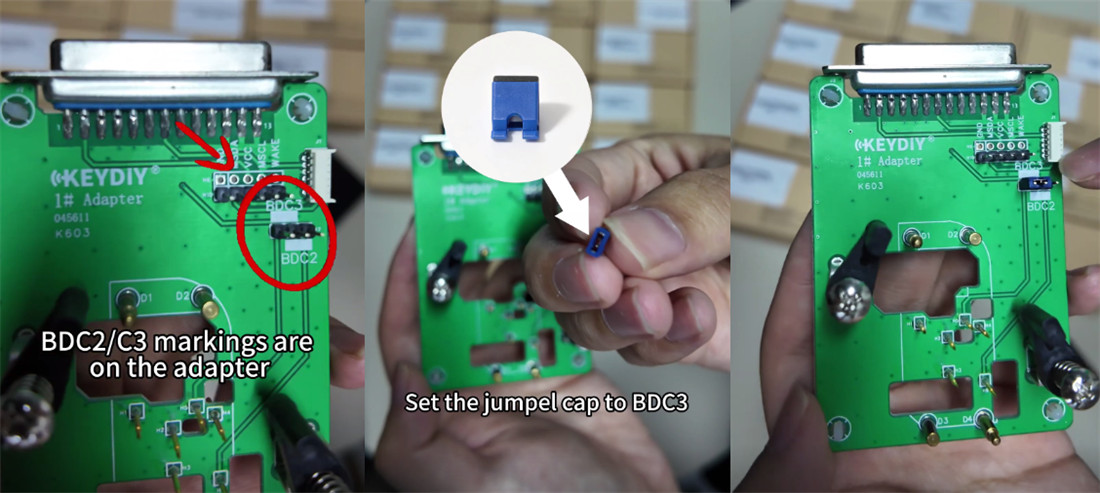
Take out the BDC02/03 adapter.
Check the pin labels on the board:
- Left two pins: BDC3
- Right two pins: BDC2
Place the jumper cap on the BDC2/BDC3 position.
Step 2: Connect the Cable
Two connection methods:
- Method 1: With Programming cable
Use the programming cable, then plug it into the adapter.
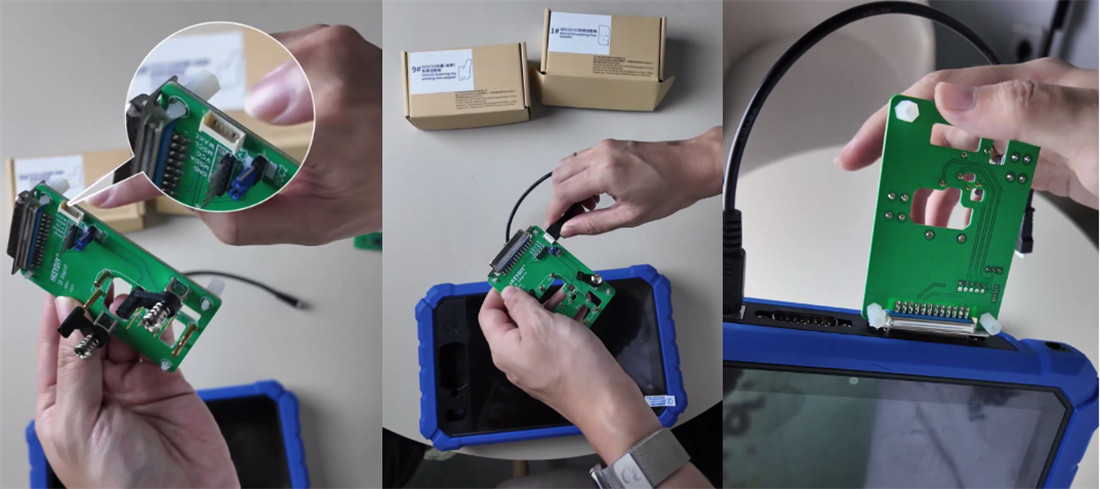
- Method 2: Connect adapter directlyto KD- X6
Plug the adapter in directly without wiring.
Like other adapters, such as the No. 9 adapter, a wire will lead out. If you plug this adapter directly into X6, it may be inconvenient for subsequent operations or other procedures.
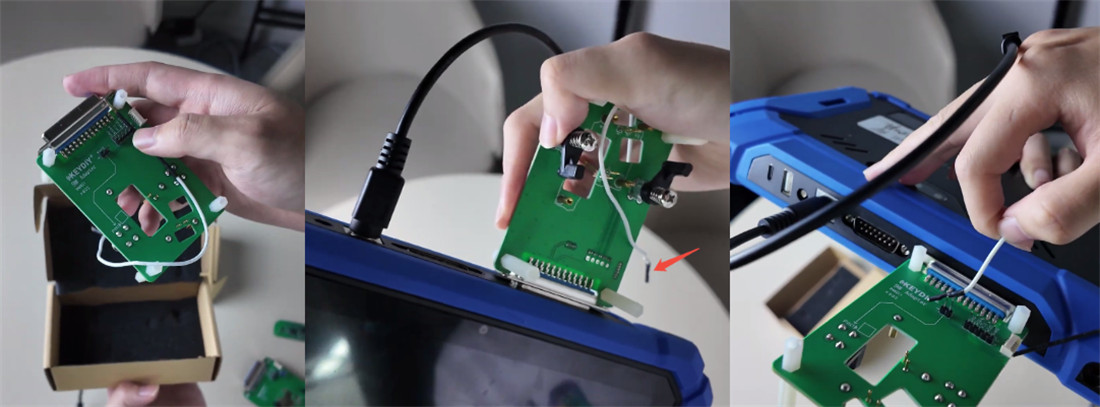
Therefore, programming cable (method 1) is recommended for data collection.
Plugging the adapter directly into the main unit can make working with the device awkward during operation.
Step 3: Mount the OEM Key
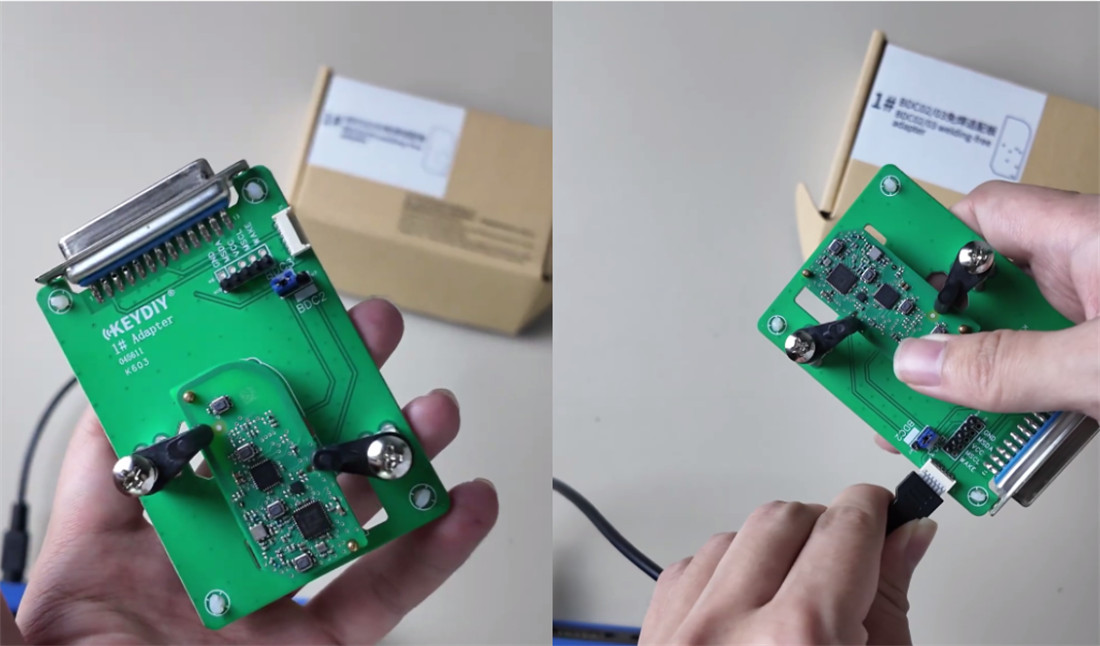
Take the disassembled BMW OEM key board.
Place it onto the adapter in the correct direction.
Lock the side clips to secure the board in place.
Plug the programming cable into the adapter and turn on KD-X6 key programmer.
Step 4: Read Data on KEYDIY KD-X6
Go to Remote Function > Smart Key Clone > BDC/ BCP Smart Key Synchronization.
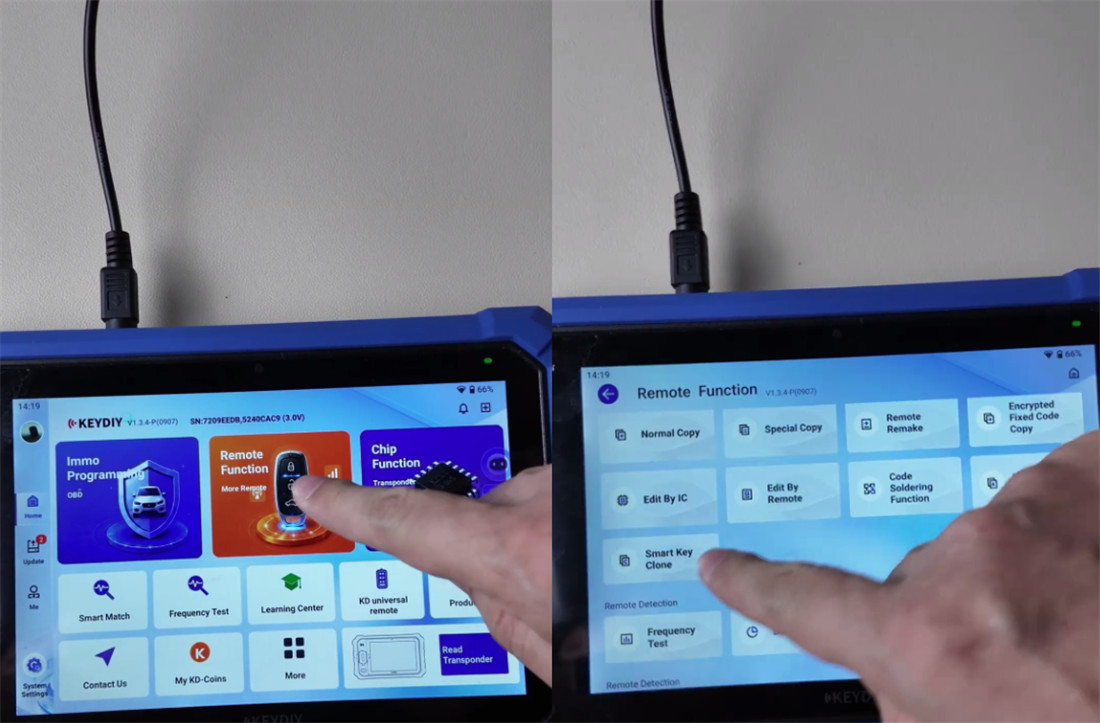
Select G Chassis BDC2/BDC3 Rolls-Royce Clone.
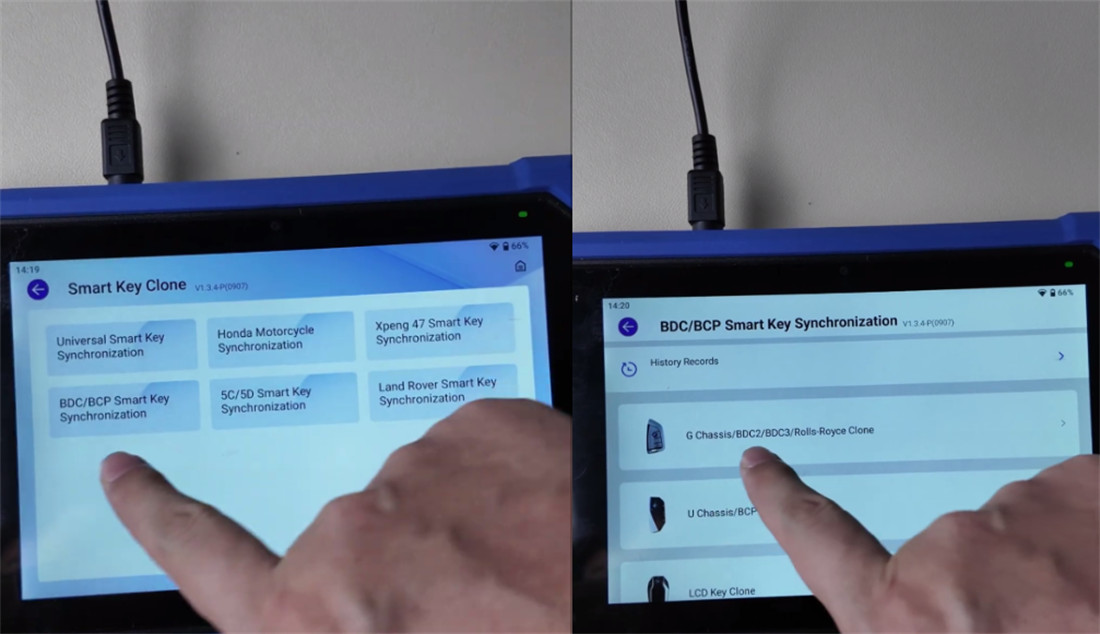
Tap Read Chip Data. The system will confirm when the data read is complete.
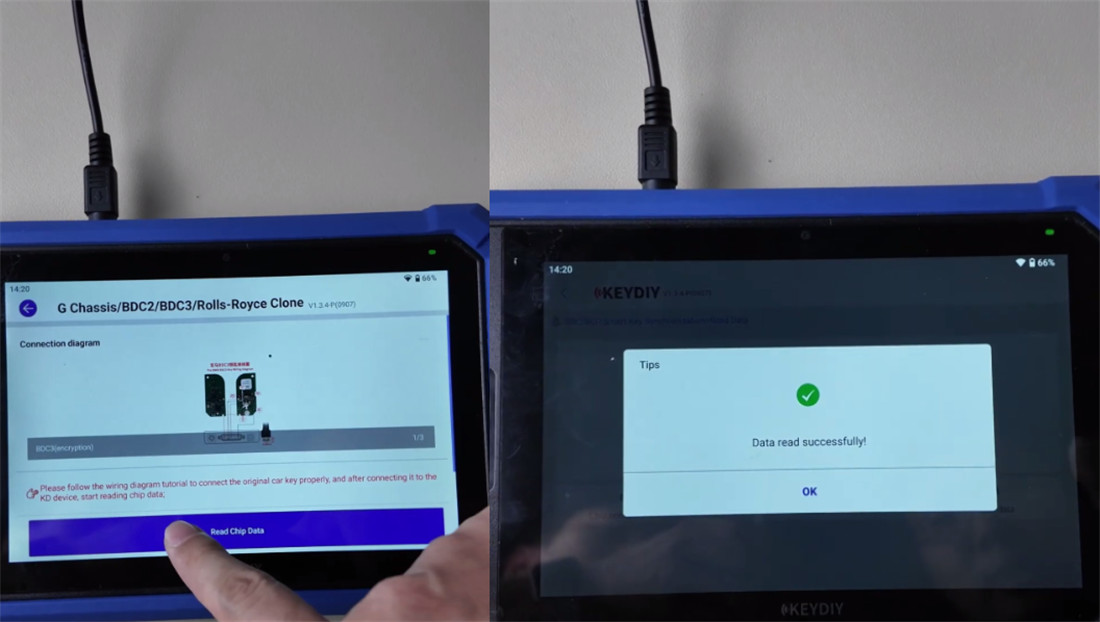
Step 5: Program the New Key
Use a new KD FGB23 universal key for this step.
Select the KD-FGB Type (wireless writing).
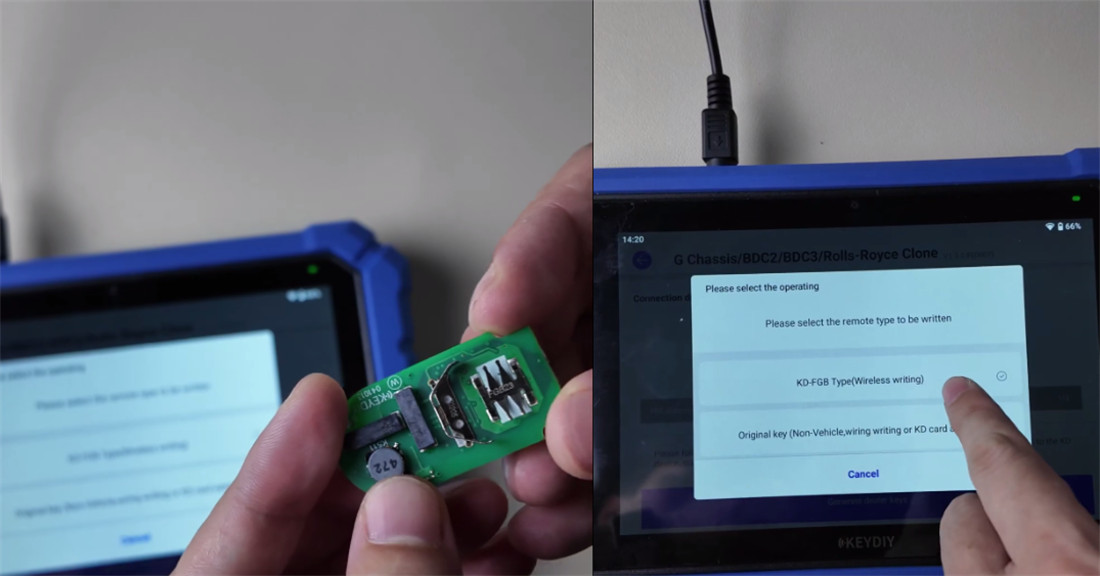
Choose Type 1 (Generate Program and Dealer Key) because this key is brand new. (Note: Choose Type 2 if the key was programmed before).
Go to KD-FGB Remote > BDC03 > 433.20/434.60 MHz.
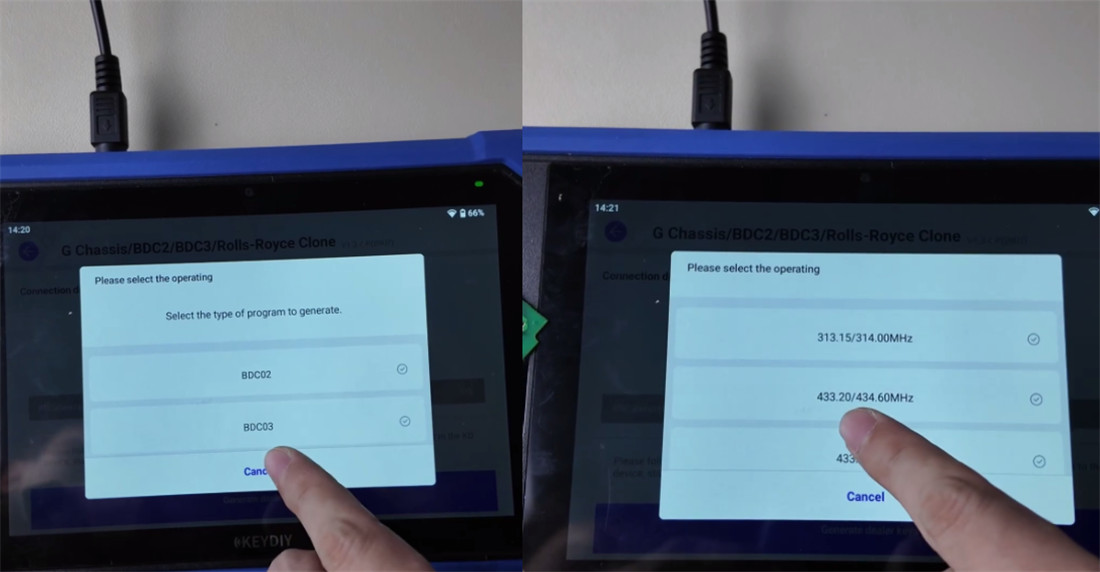
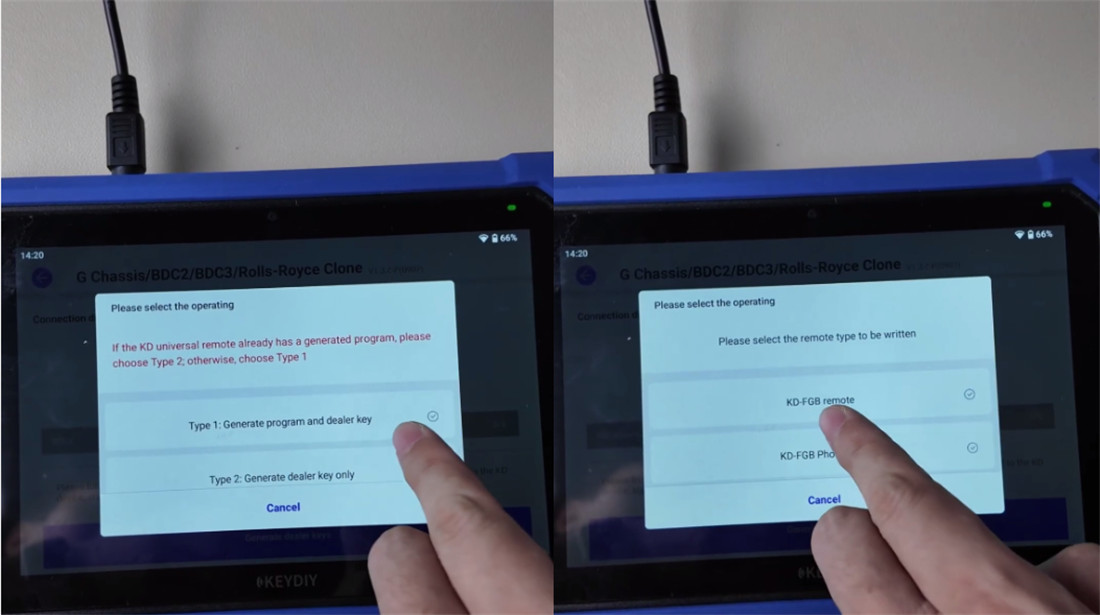
Place the universal key on the induction coil of KD-X6 programmer and start the process.
Step 6: Test the Key
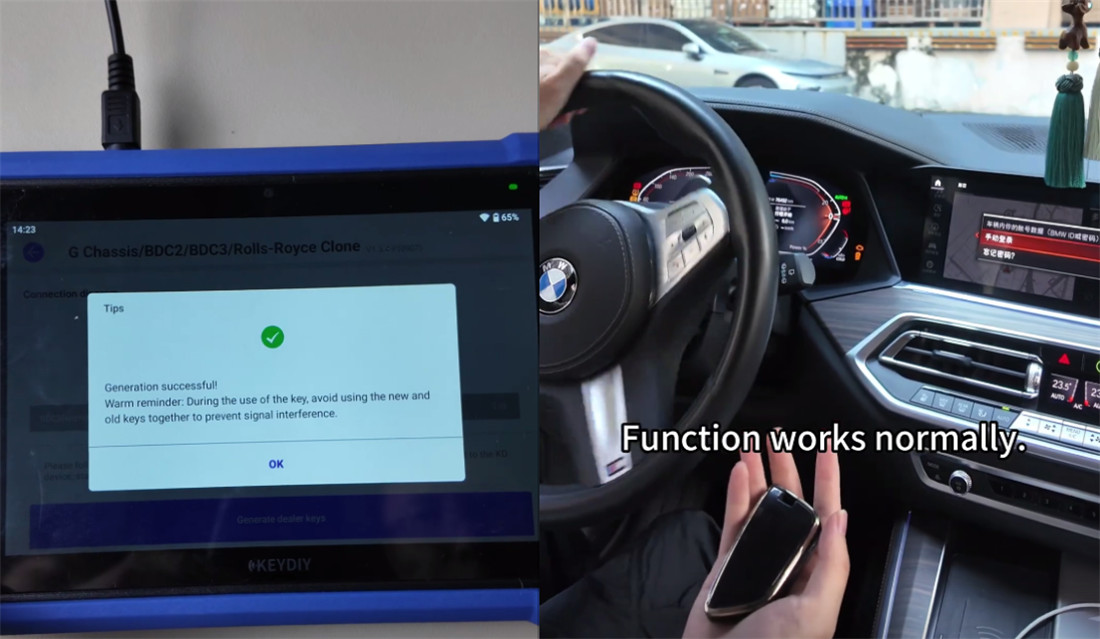
After the key is generated successfully, put the board inside the key shell and test the functions on the vehicle:
- Push-to-Start: Press the brake pedal and press the start button. The car starts normally.
- Buttons: Test Lock and Unlock. Both work.
- Remote Start: Test the remote start function. It works as expected.
إرسال تعليق